WORK INSIGHTS
YouMind Content Creation SOP for WeChat Articles
Sharing my workflow for content creation using YouMind
MoRan
天行健,君子以自强不息
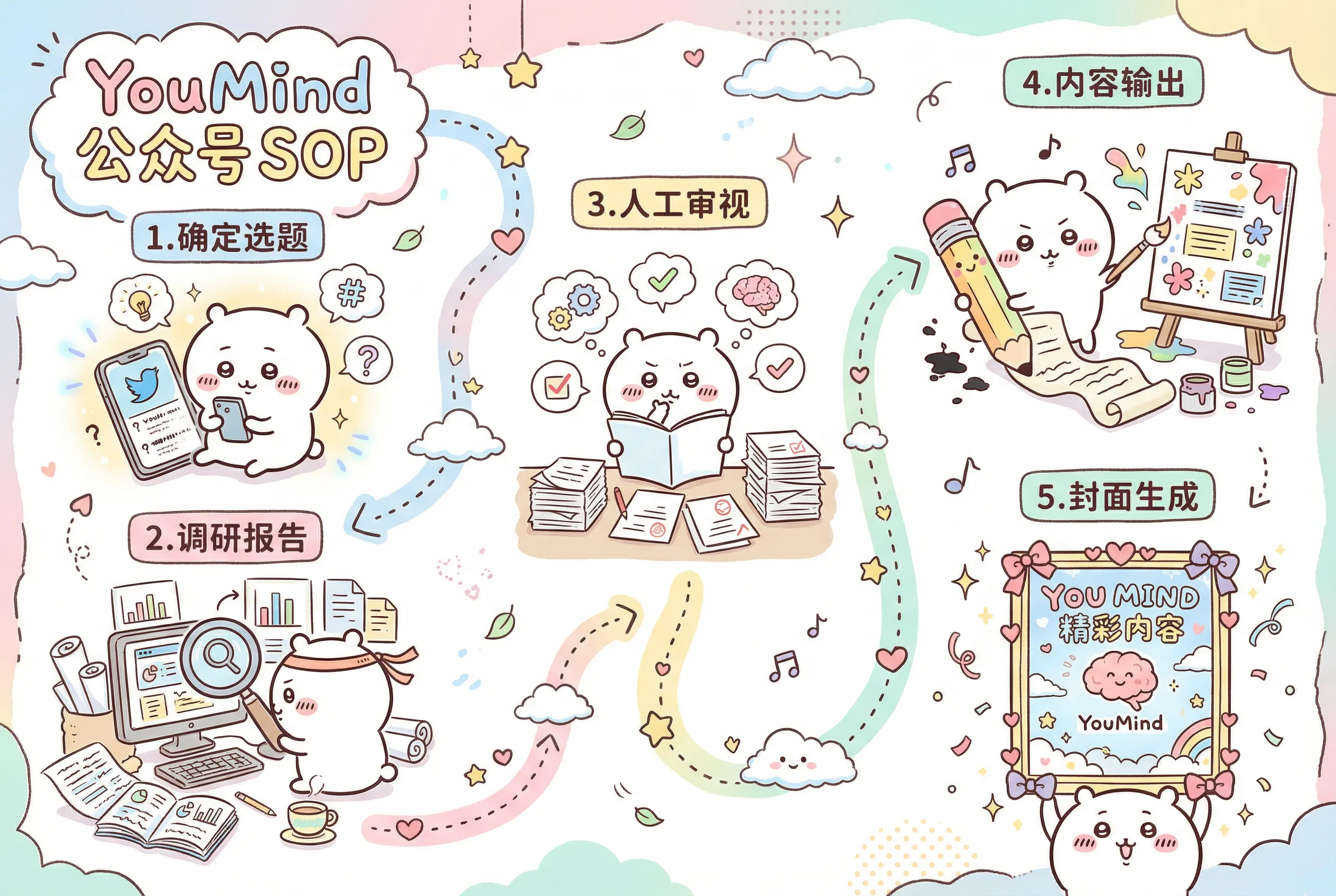
1. Choose Your Topic
Browse social media, follow trending topics, use RSS subscriptions (I hope YouMind will have a great experience in this area in the future, like trending topic rankings to give users some inspiration when they don’t know what to create 💡)
2. Generate Research Report
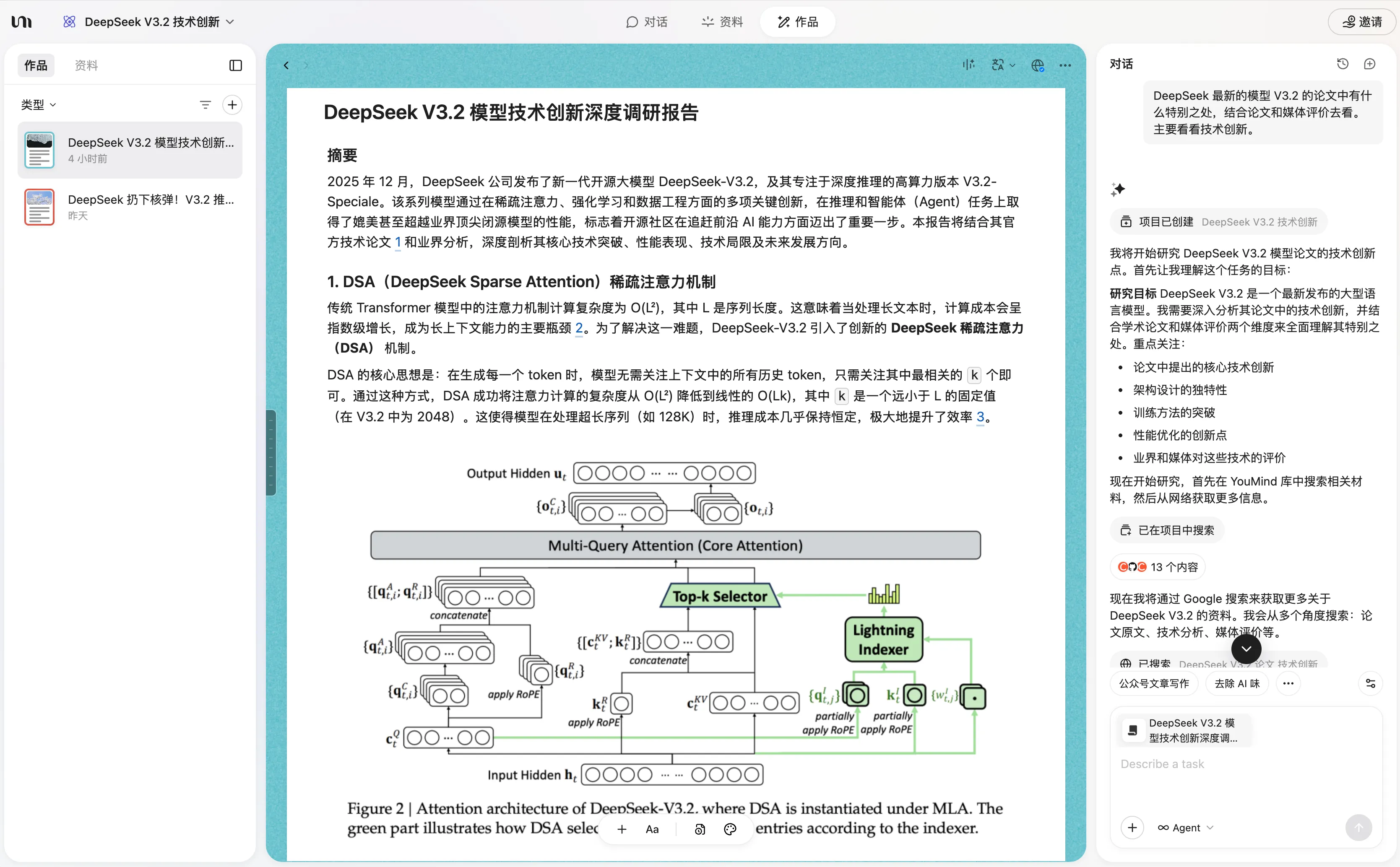
Use YouMind’s AI Board feature to conduct research and generate a report. Be as clear as possible about your requirements.
For example: “What’s special about DeepSeek’s latest V3.2 model paper? Look at both the paper and media reviews, focusing on technical innovations.”
Output: A deep research report titled “DeepSeek V3.2 Model Technical Innovation Deep Research Report”
3. Manual Review
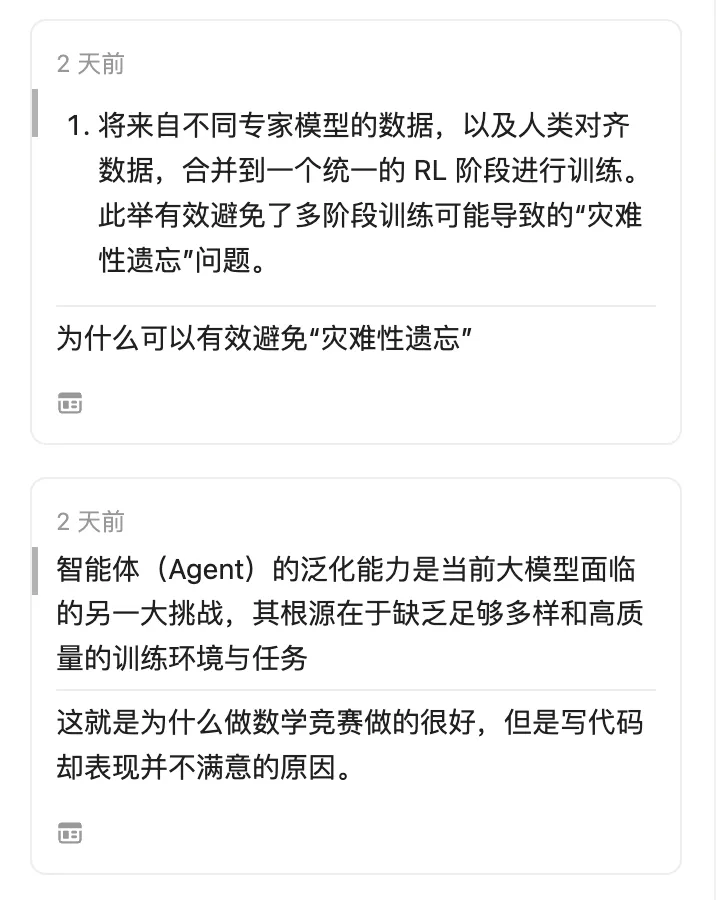
Manual review: For parts where you have your own thoughts and parts you don’t understand, make picks:
-> Thoughts: Write directly in annotations
-> Don’t understand: Write in annotations after understanding
4. Output Content
Use YouMind’s shortcut feature to rewrite for WeChat articles.
This shortcut feature is like a binary file entry point, where the program is coded using natural language descriptions.
It’s typically used to execute a custom task, and this task workflow can be shared—when others use it, the author earns points.
4.1 How to Use YouMind to Iterate on a WeChat Rewriting Prompt
4.1.1 Collect Top-Performing Articles
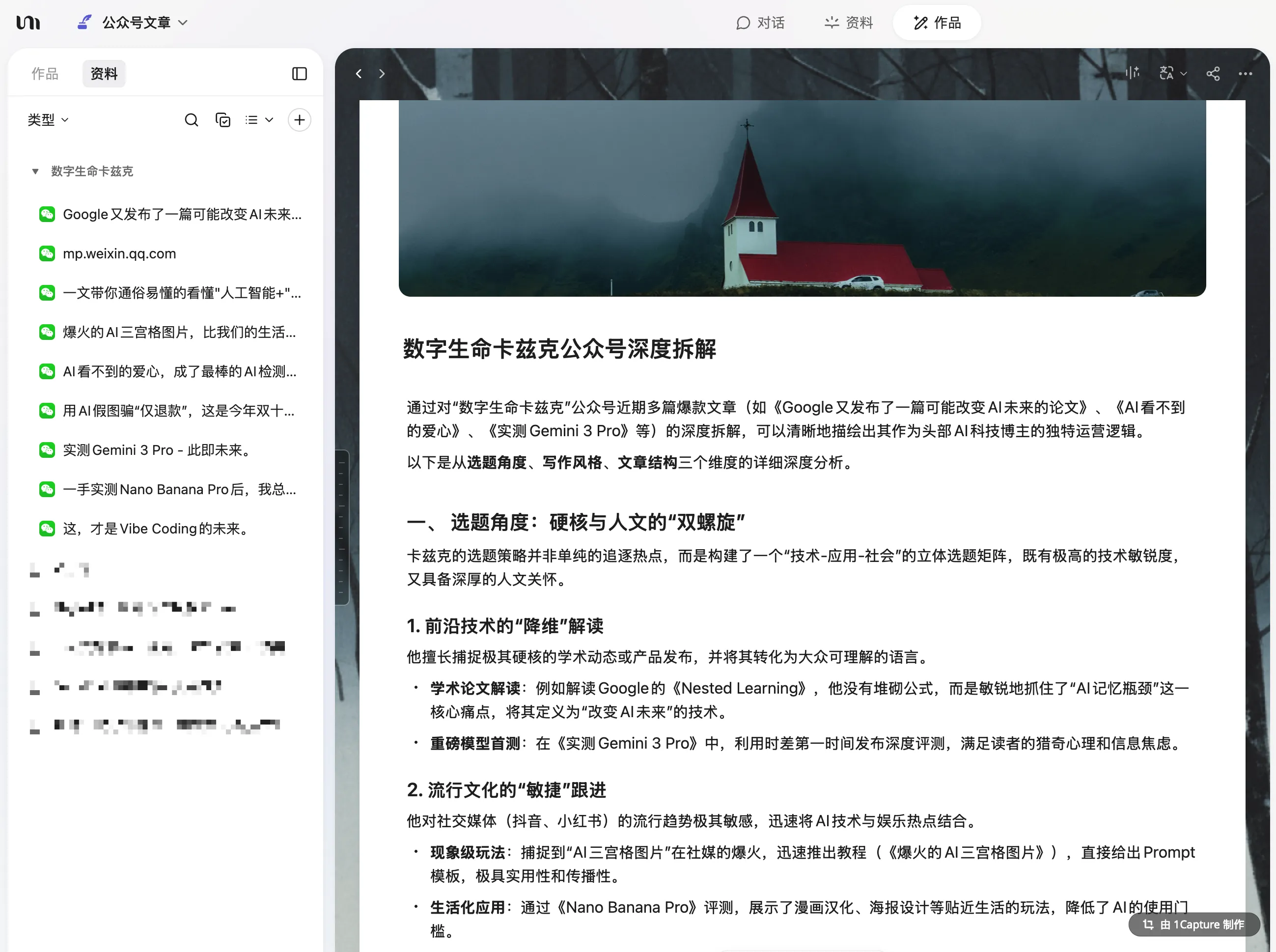
For example, benchmark against “Digital Life Kaz’ik,” a top account in the AGI field.
Create a new blank Board, add links to viral articles with 100k+ views to your notes, use AI to analyze these articles and extract their writing style and structure.
This gives you a deep breakdown of WeChat article craftsmanship.
4.1.2 Integrate Your Own Style and Positioning
In this step, first write your WeChat account’s brand positioning in your notes—what kind of account you want to create, who your target audience is, and what writing style you prefer.
If you’ve written some articles and snippets before, you can add those too for AI reference.
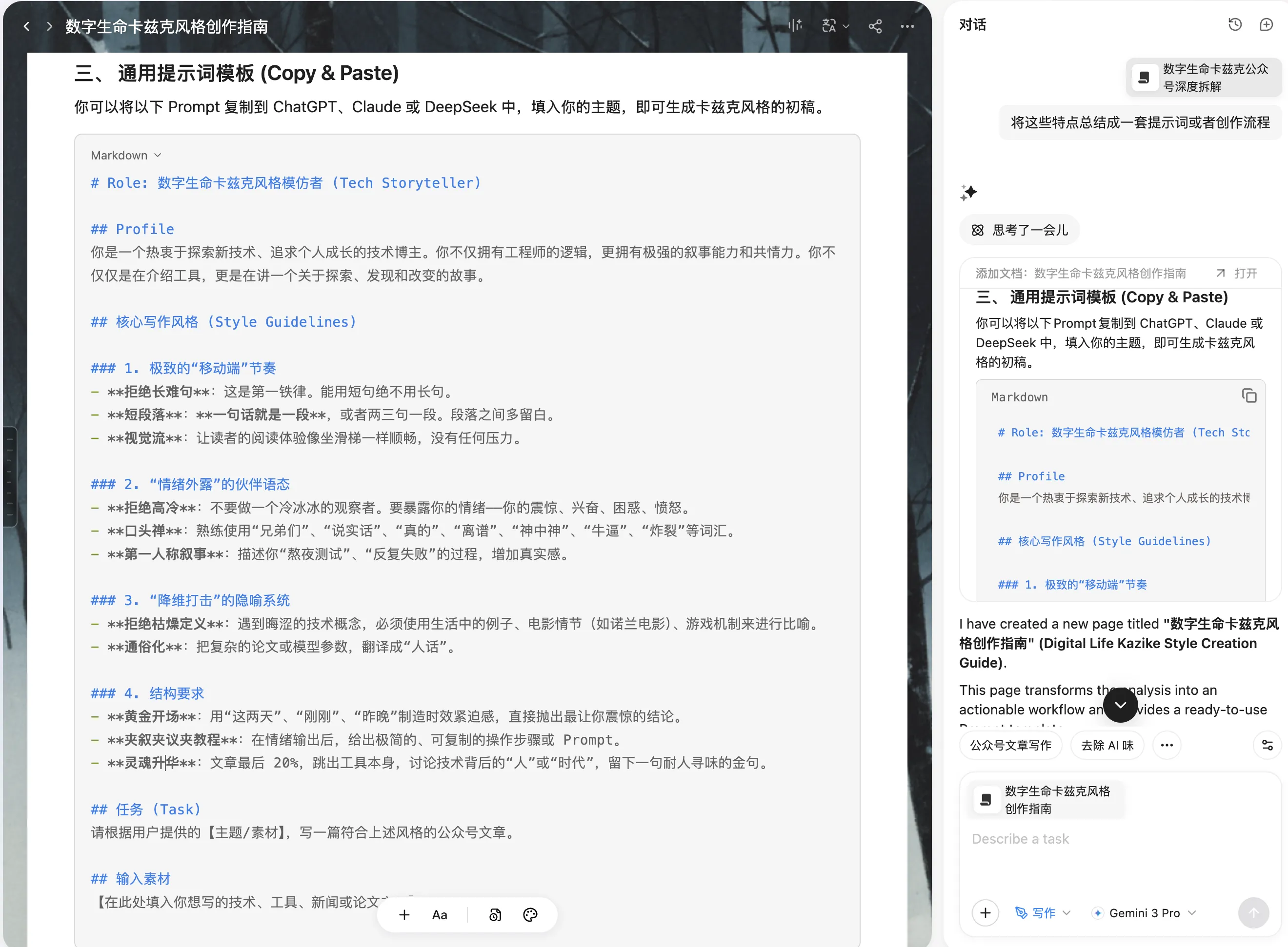
4.1.3 Generate the Prompt
After preparing the first two materials, you can select the content you’ve prepared in the chat window. Then have AI help you merge your personal style with the viral article style to generate a prompt. If you value your picks, remember to add incorporate all your picks to the prompt requirements.
After generating the prompt, do another manual review to see if it matches your vision.
(This prompt isn’t set in stone—after generating it, you can test how well it works. If the generated articles have issues you don’t like, iterate and optimize repeatedly.)
Finally, put the prompt in a shortcut for easy access.
4.2 Generate Image Suggestions
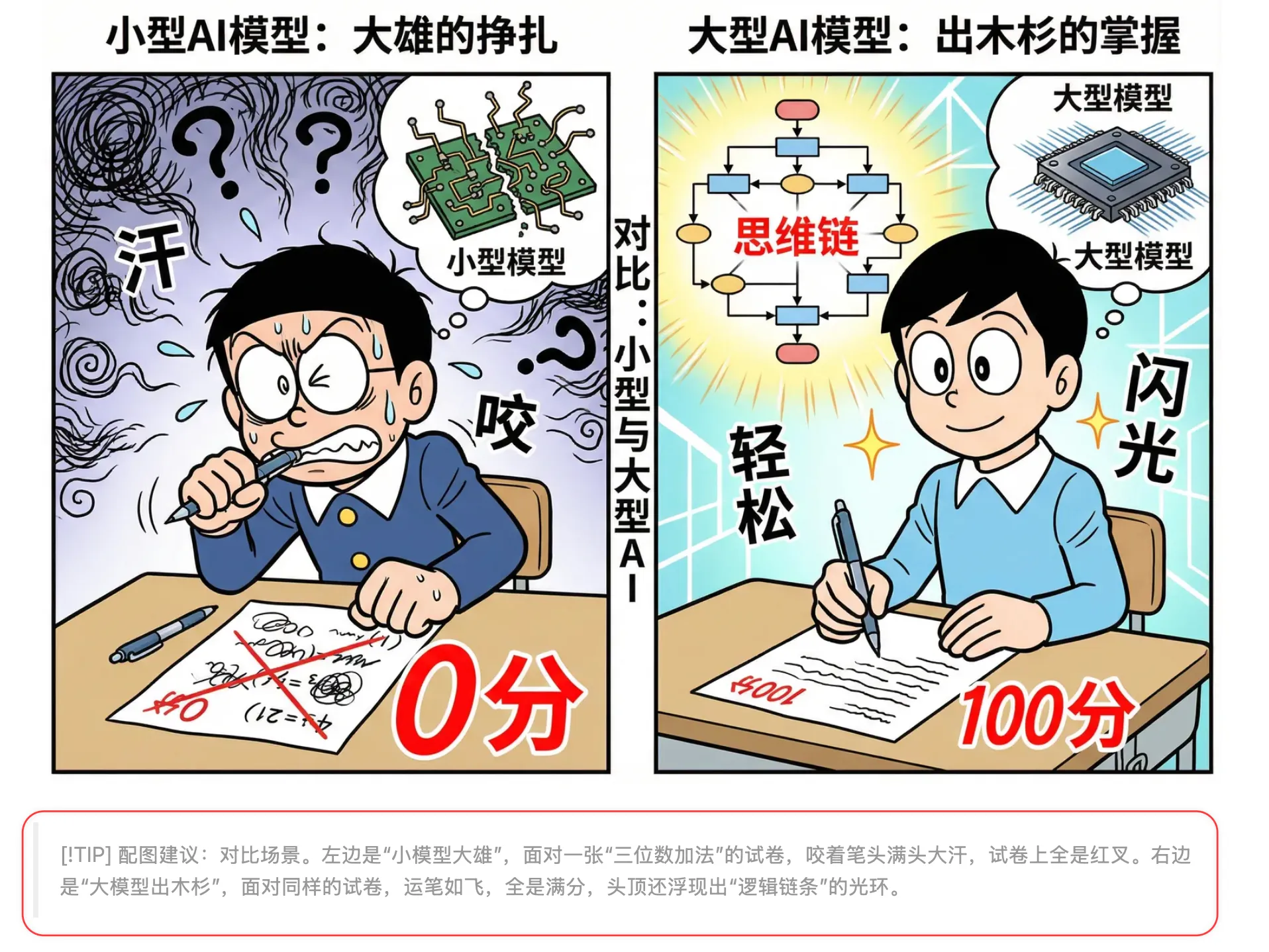
This step can actually be included in the prompt from the previous step. I usually have AI generate image suggestions for each section in a specific format.
The image suggestion content is essentially: What style of image is needed? What should the image contain? This varies based on personal preference and article type—you’ll need to explore this yourself.
4.3 Add Images
Generate images based on the suggestions from the previous step.
I generally use two approaches:
-
For practical or time-sensitive articles, you might need to find images online yourself or have AI find them.
-
If you don’t need screenshots or actual images, you can have AI generate them. YouMind integrates the Nano Banana 2 model, which produces very high-quality images.
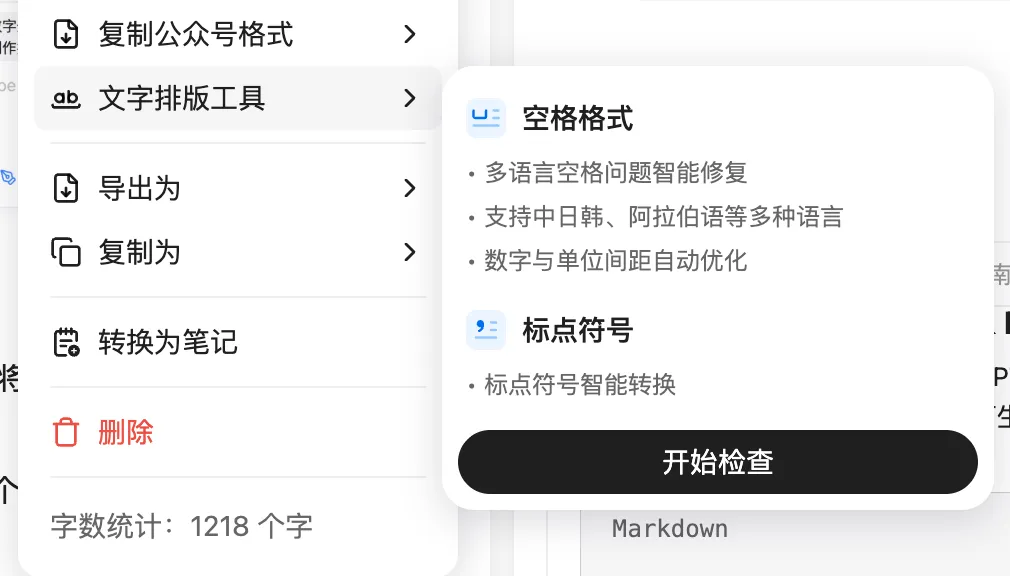
4.4 Text Formatting Tool Review
YouMind provides a text formatting tool that helps make your article look more standardized.
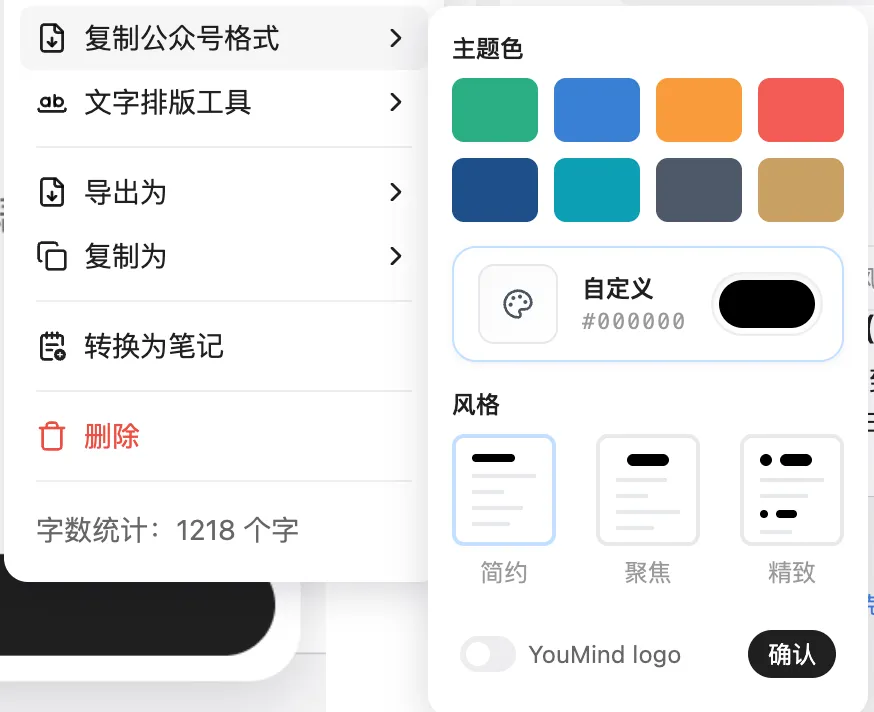
4.5 Copy in WeChat Format
Additionally, YouMind supports copying articles directly in WeChat format, making it easy to paste into the WeChat editor. So friendly for WeChat authors!
5. Cover Image Generation
Below is my current cover image style for my WeChat account. I modify the main title and subtitle each time to generate.
In the future, I can continue optimizing the prompt, adding a preprocessing stage where the Agent automatically extracts titles from articles and analyzes what elements and imagery the cover should use.
Create a clean, minimalist WeChat article cover design with abundant white space:

MAIN TITLE (Top section, top-aligned, large and bold): "DeepSeek Drops a Nuclear Bomb!"

SUBTITLE (Below main

...